Register for Classes
Most students register for their courses through an online system called SIS Self-Service.
SIS Registration Instructions
To search and register for classes,
- Make sure registration is currently open by checking important registration dates.
- Log in to SIS Self-Service.
- Look at the upper right corner for the bell icon.
- If there is no icon, please proceed with the next steps.
- If you do have a bell and number, please visit the alerts/holds page to learn more.
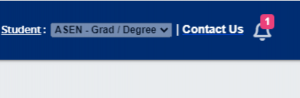
- Next steps to Search and Register for Classes can be found on the UIS site.

New Students
Establish your JHED account first. You’ll receive a system-generated e-mail containing the JHED ID a few weeks prior to matriculating.
- If you did not receive this communication, please contact SEAM.
- If you have a previous JHU affiliation, contact the IT Help Desk at 410-955-HELP
Add/Drop
Typically, students can add/drop classes directly in SIS Self-Service during the registration period.
If you encounter a failure message during the add/drop process, SIS will provide an option to “Create SEAM Case” for additional support. (Learn More about the SEAM support feature for issues encountered when trying to add or drop a course.)
Tuition Refund Policy: When dropping or withdrawing, you may be eligible for a tuition refund based on the school’s published refund schedule.
Withdraw
To request to withdraw, create a SEAM case, as withdrawals cannot be processed through SIS Self-Service.
Interdivisional Registration
When students take a course at another JHU school or division, it is called interdivisional registration, or IDR. Students who wish to enroll in a course offered by a different school/division of the university must submit a request and any required permissions or approvals.
Visit the new central IDR page for more information.
Additional Registration Information by Division
Some divisions provide more information on their websites.
Manual Registration
- School of Advanced International Studies (Europe): Registration is processed manually by SAIS registration staff.
- School of Advanced International Studies (Nanjing Center): Registration is processed manually by SAIS registration staff.
- School of Nursing: Registration instructions are sent to students via email.
For registration-related questions, contact SEAM.